eLearning System Configuration Tool
Use this tool to configure the right technology stack for your learning strategy based on the 2026 standard.
Step 1: Primary Objective
What is the main goal of your training program?
Compliance
Mandatory safety, regulations, or policy updates where completion proof is critical.
Onboarding
Getting new hires up to speed quickly with culture, tools, and basics.
Skill Development
Deep upskilling in complex topics requiring practice and mastery.
Step 2: Learning Pace
Which mode fits your team's schedule best?
Step 3: Technical Standards
Do you need to track learning activities outside of the main platform (e.g., mobile reading, physical workshops)?
Defining the Core Technology
At its heart, an eLearning system is a collection of tools designed to facilitate learning through technology. Unlike a simple video hosting site, it tracks progress. It knows when you opened a lesson, how long you watched, and whether you passed the final quiz. This tracking capability is what separates it from casual content consumption. Companies need proof of learning to meet regulatory standards, and this software provides that audit trail.
The central component is usually a Learning Management System, often called an LMS. While people use these terms interchangeably, there is a distinction. An LMS is the engine, while the eLearning system is the entire vehicle, including the content libraries and communication tools. You need the LMS to manage users, but the broader system includes the multimedia assets and assessments that make learning happen.
Key Components of Modern Platforms
To function effectively, these systems rely on several interconnected parts. Understanding these helps you see why some training feels clunky while other experiences feel smooth.
- User Profiles: Every learner has a unique ID. This stores their history, preferences, and current standing.
- Content Repository: This is where videos, PDFs, and interactive modules live. Modern systems support various formats like SCORM packages or xAPI-enabled content.
- Assessment Engine: Quizzes and exams are automated here. The system grades responses instantly, saving hours of manual work for instructors.
- Reporting Dashboard: Administrators view data here. They can see who has finished mandatory training and who needs reminders.
- Communication Tools: Discussion forums or messaging features allow learners to ask questions without leaving the platform.
In 2026, Artificial Intelligence plays a larger role in these components. Intelligent tutoring systems analyze your mistakes and suggest specific lessons to fill knowledge gaps. If you struggle with a math concept, the platform serves you a refresher module automatically. This adaptability was rare five years ago but is now a standard expectation for professional development.
Different Modes of Delivery
Not all digital training happens at the same time. The delivery method depends heavily on the user’s schedule and learning goals. You will generally encounter two main styles within any robust system.
| Feature | Synchronous | Asynchronous |
|---|---|---|
| Timing | Real-time sessions | Self-paced access |
| Interaction | Live chat, webinars | Forums, recorded video |
| Schedule | Fixed slots | Flexible hours |
| Best For | Team bonding, Q&A | Skill acquisition, review |
Synchronous learning involves live interaction. Think of a Zoom class or a virtual workshop where everyone logs in at 2 PM EST. This builds community but requires rigid scheduling. Asynchronous learning lets you binge-watch lectures during your lunch break or late at night. Most successful organizations blend both. They use live sessions for complex discussions and pre-recorded content for foundational knowledge transfer.
Technical Standards and Compatibility
You might wonder how a course created by one vendor works on another vendor’s platform. We achieve this through technical standards. SCORM (Sharable Content Object Reference Model) is the grandfather of these standards. It ensures that when you move a course file, the learning records update correctly in the background system. Without SCORM, clicking "Complete" wouldn’t save your score.
However, xAPI (Experience API) is becoming the norm for advanced tracking. SCORM tracks completion inside the LMS. xAPI tracks everything you do, even outside the LMS. If you read a white paper on your mobile app or attend a physical workshop, xAPI sends that data back to the central dashboard. This creates a holistic view of employee performance beyond simple login times.
Impact on Organizational Growth
Implementing an eLearning system isn't just about moving files online. It fundamentally changes how growth occurs within a company. Traditional training required flying trainers to different city offices. Today, a single master copy of a curriculum reaches thousands of employees globally at the click of a button. This drastically reduces travel costs and ensures message consistency.
Data privacy remains a top concern for enterprises adopting these tools in 2026. Systems must comply with regulations like GDPR or local data protection laws. When choosing a provider, you must verify where their servers sit geographically. Some governments restrict cross-border data transfer regarding employee training records. Security protocols like Two-Factor Authentication protect these sensitive career histories from unauthorized access.
Moving Toward the Future
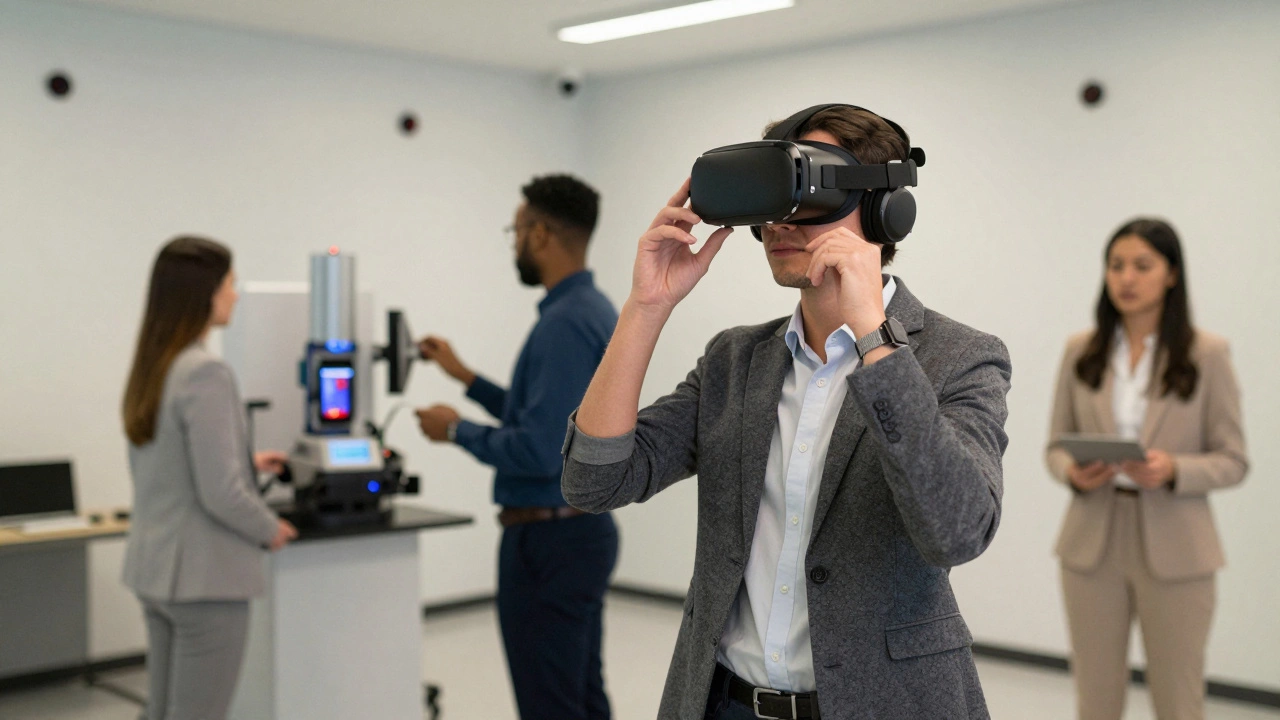
We are seeing a shift toward immersive experiences. Virtual Reality (VR) headsets are entering corporate environments. Imagine practicing safety procedures for hazardous machinery in a simulated virtual space. This reduces risk during real-world training. While not yet universal, high-end systems integrate VR content streams alongside standard video lessons. Mobile accessibility is also non-negotiable. Workers expect to access their training on smartphones, meaning responsive design is a critical feature for any provider.
Common Implementation Pitfalls
Even with great technology, bad execution kills results. One common mistake is treating the platform as a storage dump. Just because you can upload 500 PDFs doesn't mean you should. Content overload confuses learners. Effective programs curate material carefully. Another pitfall is ignoring user feedback. If navigation is confusing, people stop completing courses. Regular surveys help identify friction points before they cause dropout rates to spike.
Wrapping Up
Digital education tools are no longer optional extras. They form the backbone of modern skill development. Whether you are managing a small team or leading a global enterprise, understanding how these platforms work empowers smarter decisions. By focusing on user experience and data integrity, you ensure that training translates into actual performance gains.
Is an eLearning system the same as an LMS?
They are closely related but distinct. An LMS manages the users and data, while an eLearning system is the broader ecosystem including content creation tools and delivery methods.
Can I access these systems on mobile devices?
Yes, most modern platforms are fully responsive and offer dedicated iOS and Android applications for on-the-go learning.
Do I need special hardware to run these courses?
Standard video content requires only a web browser. Immersive VR modules may require headsets, but traditional desktop or laptop setups suffice for most training.
How does data tracking work in these systems?
Systems use standards like SCORM or xAPI to record interactions such as quiz scores, completion times, and content engagement in a central database.
Are these platforms secure for corporate data?
Legitimate providers use encryption and compliance certifications like SOC 2 to ensure user data and proprietary training content remain protected.